Run your renovation
from your iPhone.
Budget, expenses, photos and tasks — in one app built for homeowners managing their own remodel.
Everything you need, nothing you don't.
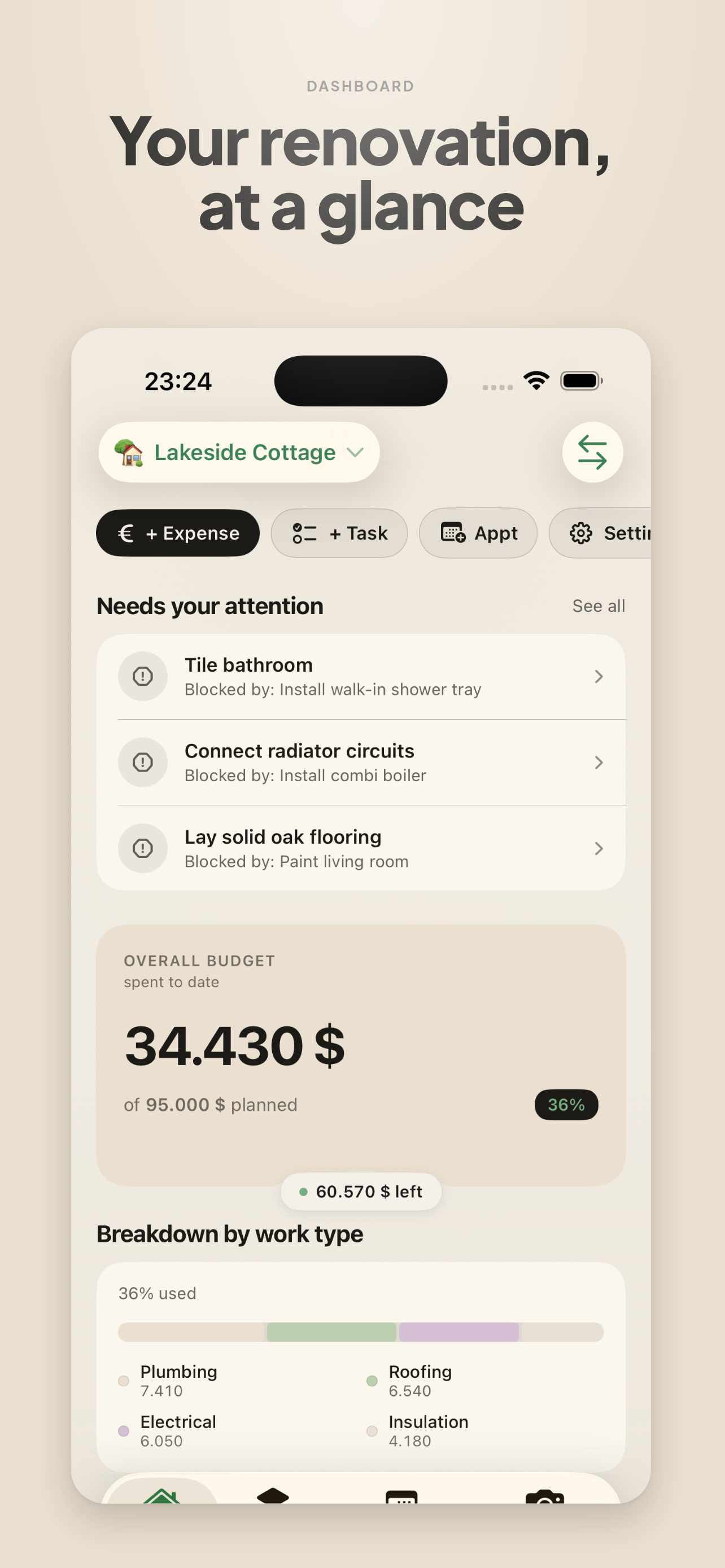
Your renovation, at a glance
A dashboard that shows what's left in the budget, what's active, and what needs you next.
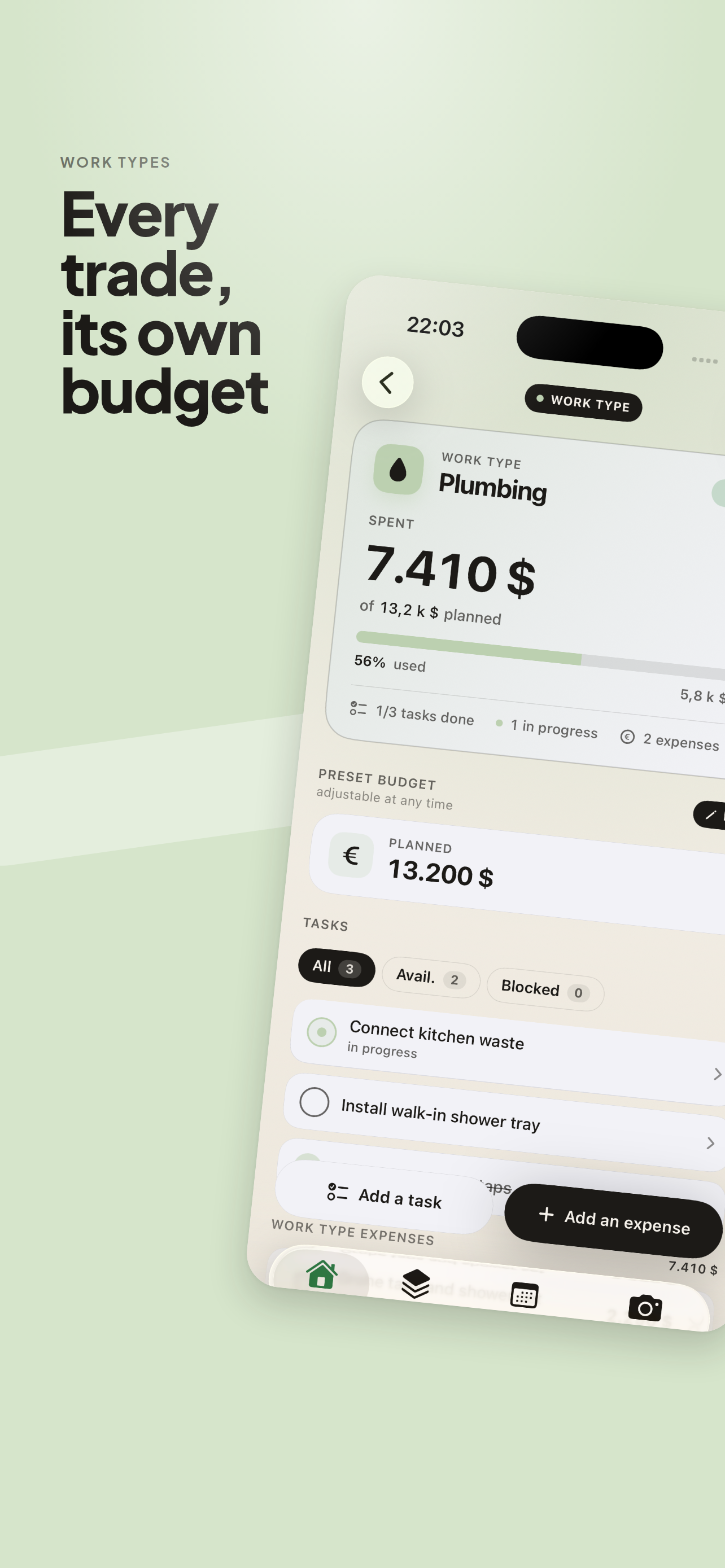
Every trade, its own budget
One work package per trade. Planned, spent, remaining — by lot and by room.
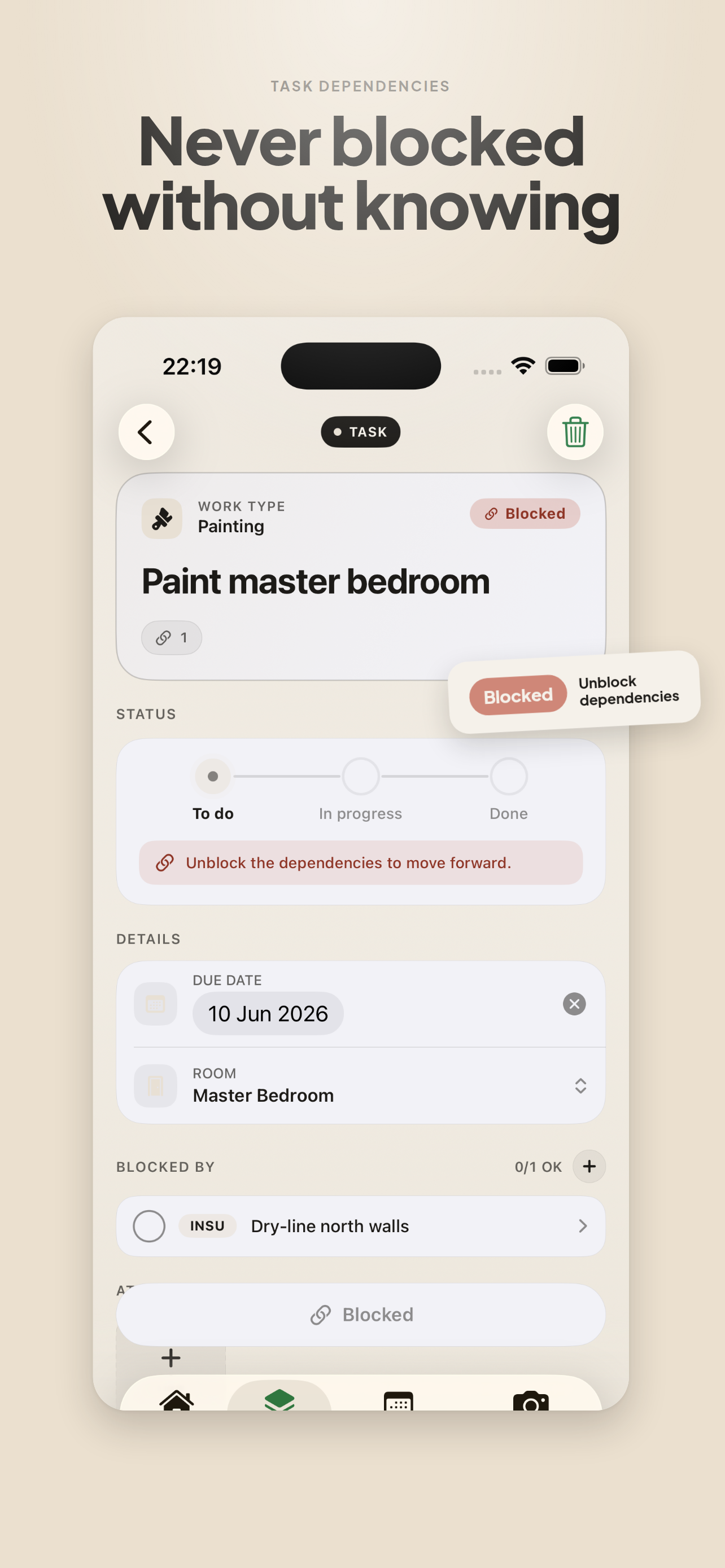
Never blocked without knowing
Tasks with real dependencies. When something is blocked, the app tells you why and what to unblock.
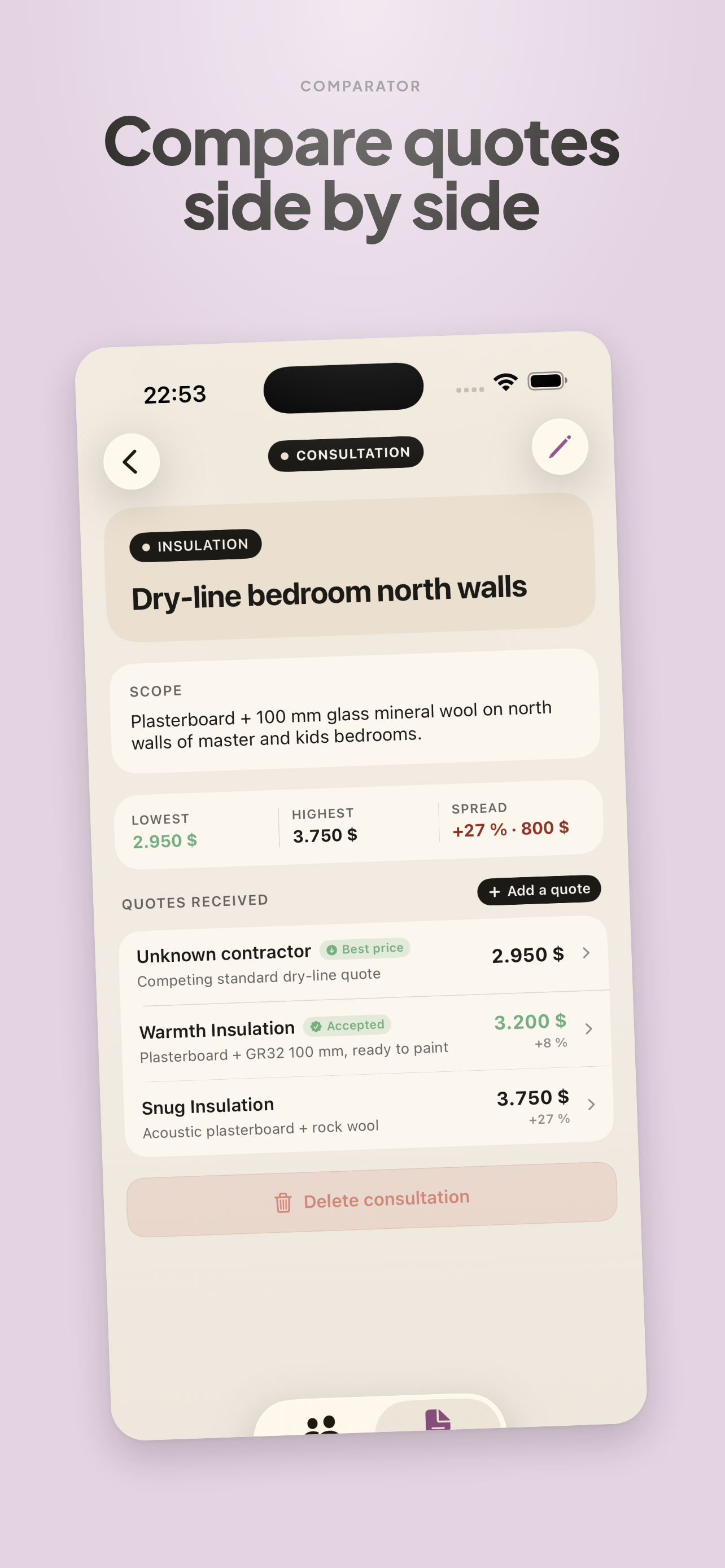
Compare quotes side by side
Drop in two or three quotes for the same lot. See line-by-line where the money goes.
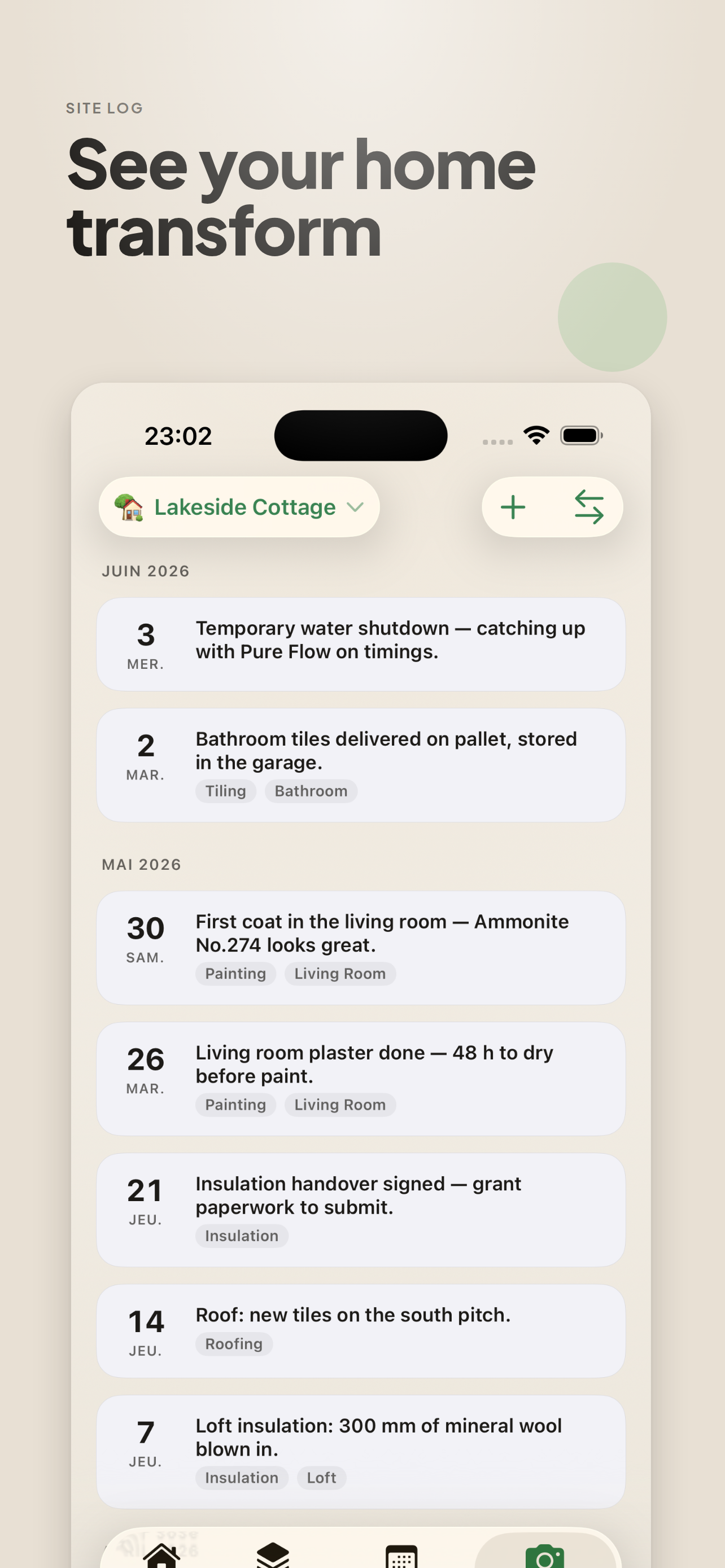
See your home transform
A site log of dated photos per room. Scroll the timeline and watch the work progress.
Inbox, widgets & appointments
An inbox surfaces overdue tasks and over-budget lots. Widgets put your numbers on the home screen. Appointments keep contractors in sync.
Built for renovations that last.
A renovation runs 6 months to 2 years. Koord handles burst entry — including backfilling everything you've already accumulated — without endless forms, account creation, or intrusive onboarding.
Start straight on your first project. Everything is editable, everything can be backdated.
A look inside the app.
Designed for the way a renovation actually unfolds — quick captures on site, then calm overviews when you sit down to plan.
Frequently asked questions
Do I need an account?
No. Download the app, open it, start your project.
Is my data sent over the internet?
Your renovation data — projects, expenses, photos, amounts — never leaves your iPhone. Koord only collects usage data (which features are used, never your personal data), which you can turn off. See the privacy policy.
How much does it cost?
Try every feature free for 14 days. After that, pick what fits: a monthly or yearly Koord Pro subscription, or a one-time lifetime purchase with Apple Family Sharing included — no subscription needed.
What about Android?
Not for now. Koord is built specifically for iOS and leverages Apple technologies (SwiftUI, SwiftData, PhotoKit).
How do I get my data back if I switch iPhones?
Your standard encrypted iCloud backup restores it automatically. A JSON export is also available in the app's Settings.